Your Apple Health data,
on the big screen.

macOS has no Health app. Your iPhone holds years of your health history and your Mac cannot show you any of it. Vitalframe fixes that.

One payment. No subscription. Family Sharing included.

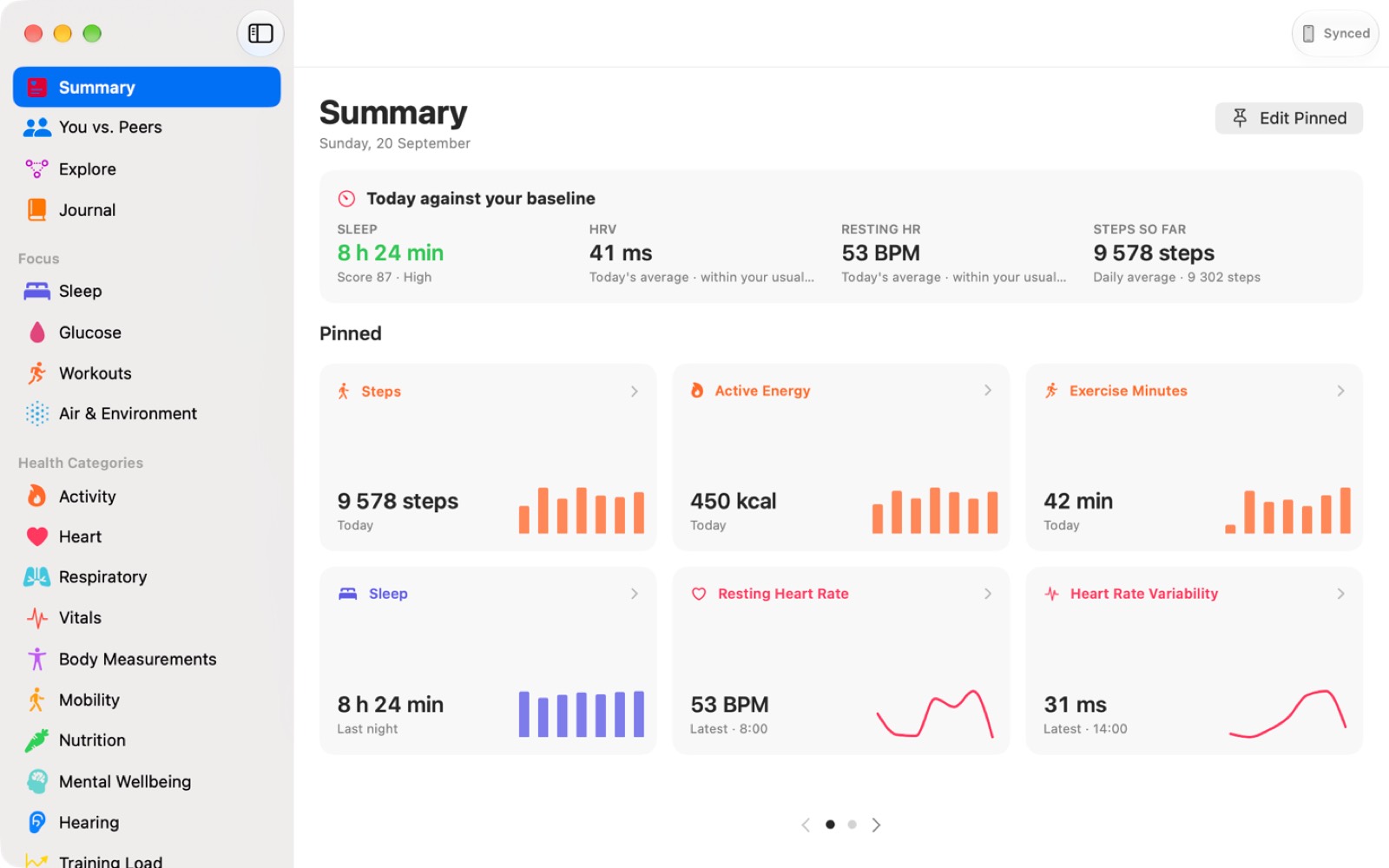
The Vitalframe Summary screen on a Mac, showing today against your baseline and a grid of pinned health metrics with sparklines.

It stays on your Mac

One local database on your own machine. No account needed, no server of ours, no analytics, no tracking. Your health data never leaves your devices.

No black box scores

Every score shows its parts. If a night scores 87, you can see which components produced it, and you can disagree.

Comparisons with a citation

Every population percentile names its source, from CDC NHANES to the FRIEND registry. No invented benchmarks.

Have a look around

Real screens from the app. Pick one.

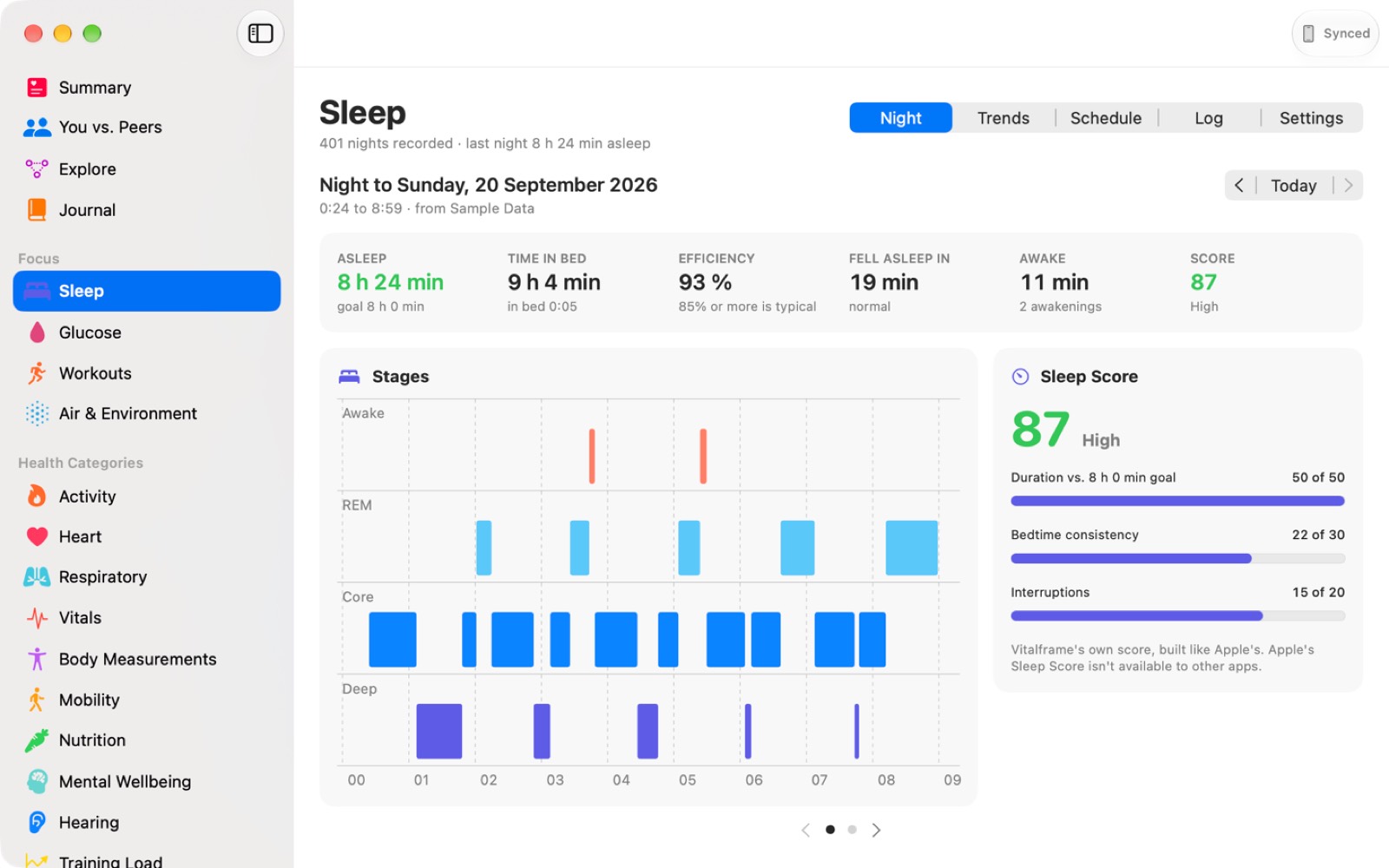
The Sleep screen, showing a hypnogram of the night's stages and a sleep score broken into duration, bedtime consistency and interruptions.

The whole night as a hypnogram, with a sleep score that shows every part it is made of. Duration, bedtime consistency and interruptions, each with its own number.

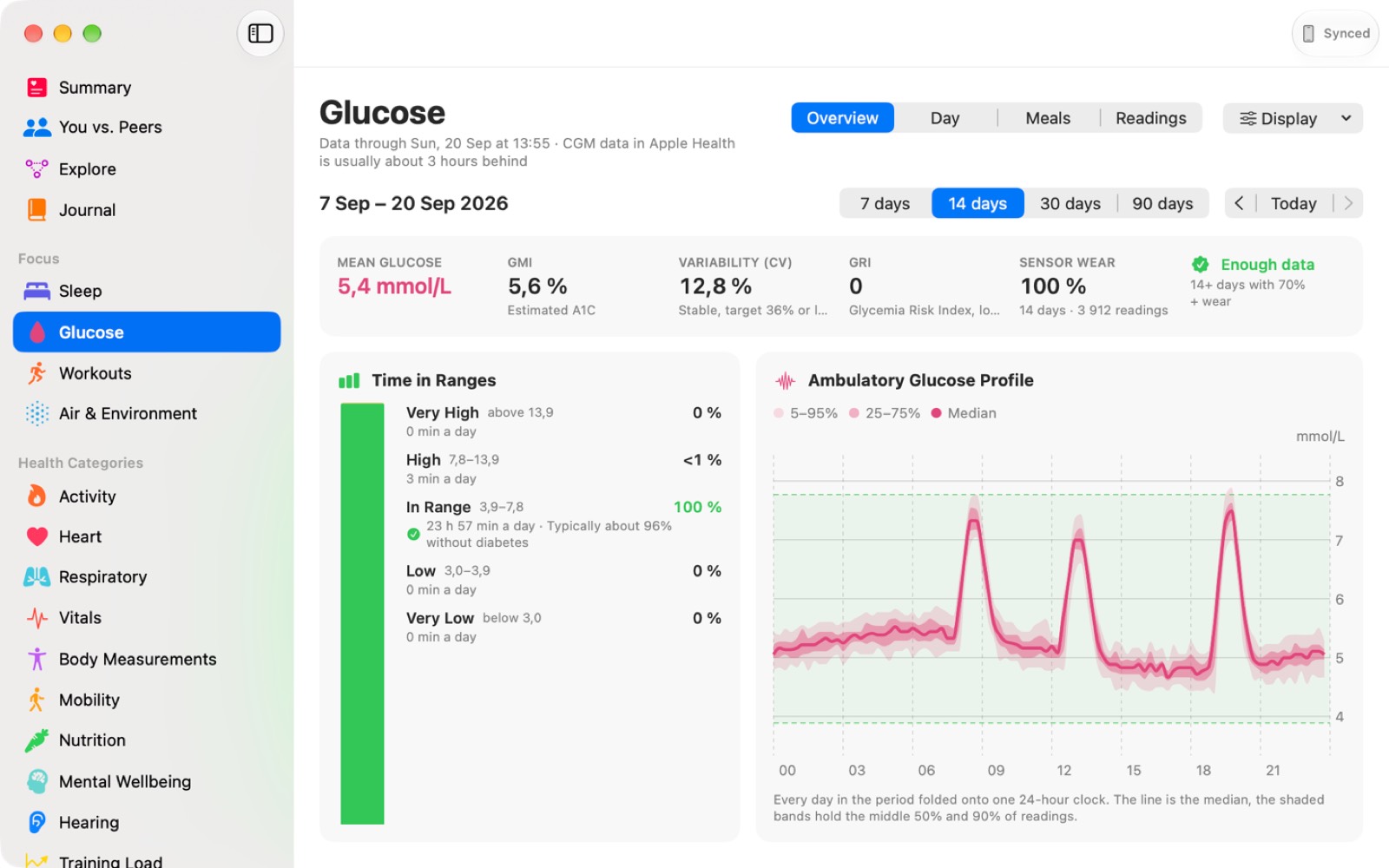
The Glucose screen, showing time in ranges, mean glucose, GMI, variability, the Glycemia Risk Index and an ambulatory glucose profile chart.

Time in ranges, GMI, variability and the Glycemia Risk Index, with an ambulatory glucose profile folding every day in the period onto one 24 hour clock.

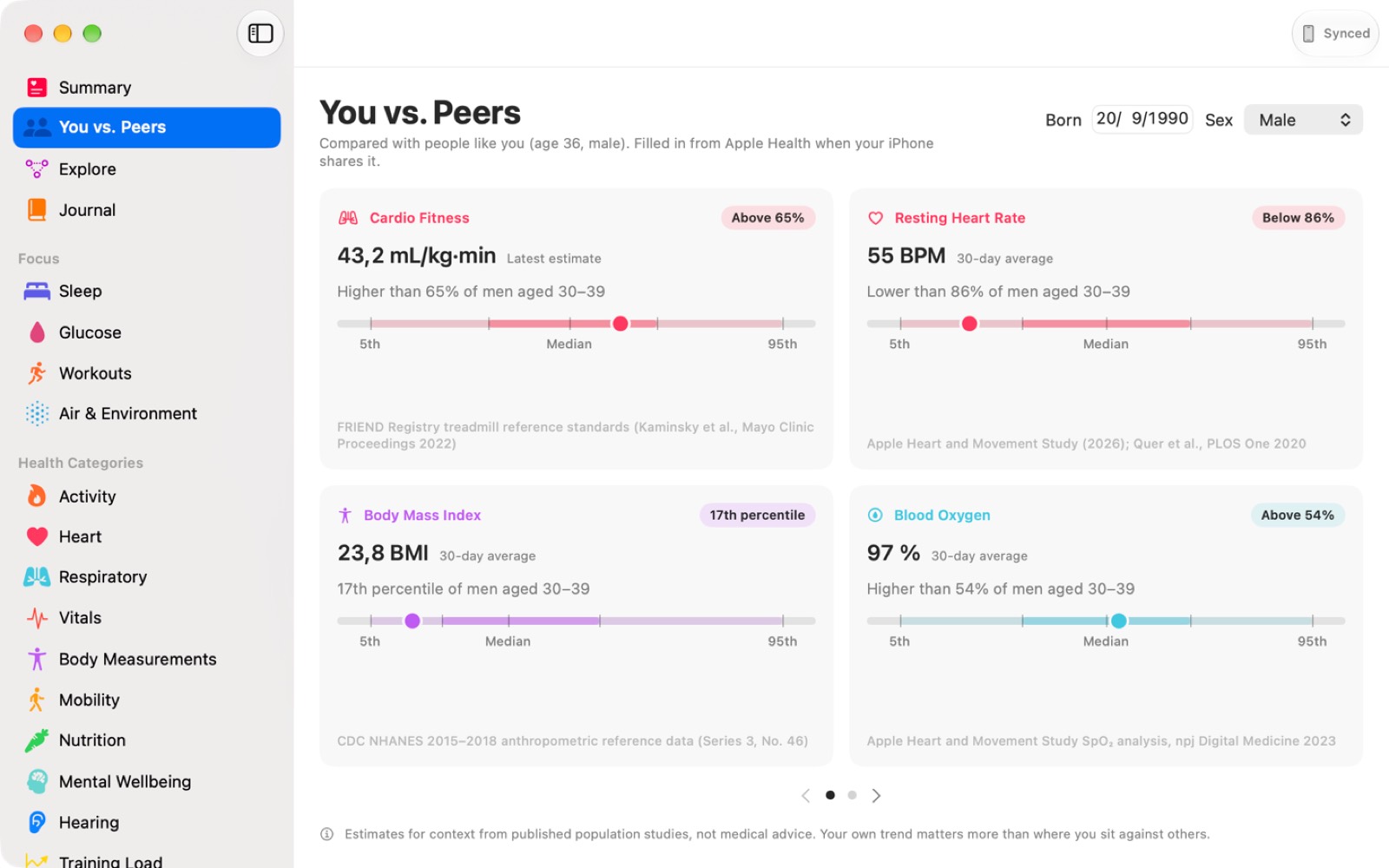
The You vs. Peers screen, showing cardio fitness, resting heart rate, BMI and blood oxygen against population percentiles, each card naming its published source.

Where your numbers sit against people your age and sex. Every card names the study it came from, because a percentile without a source is just a number.

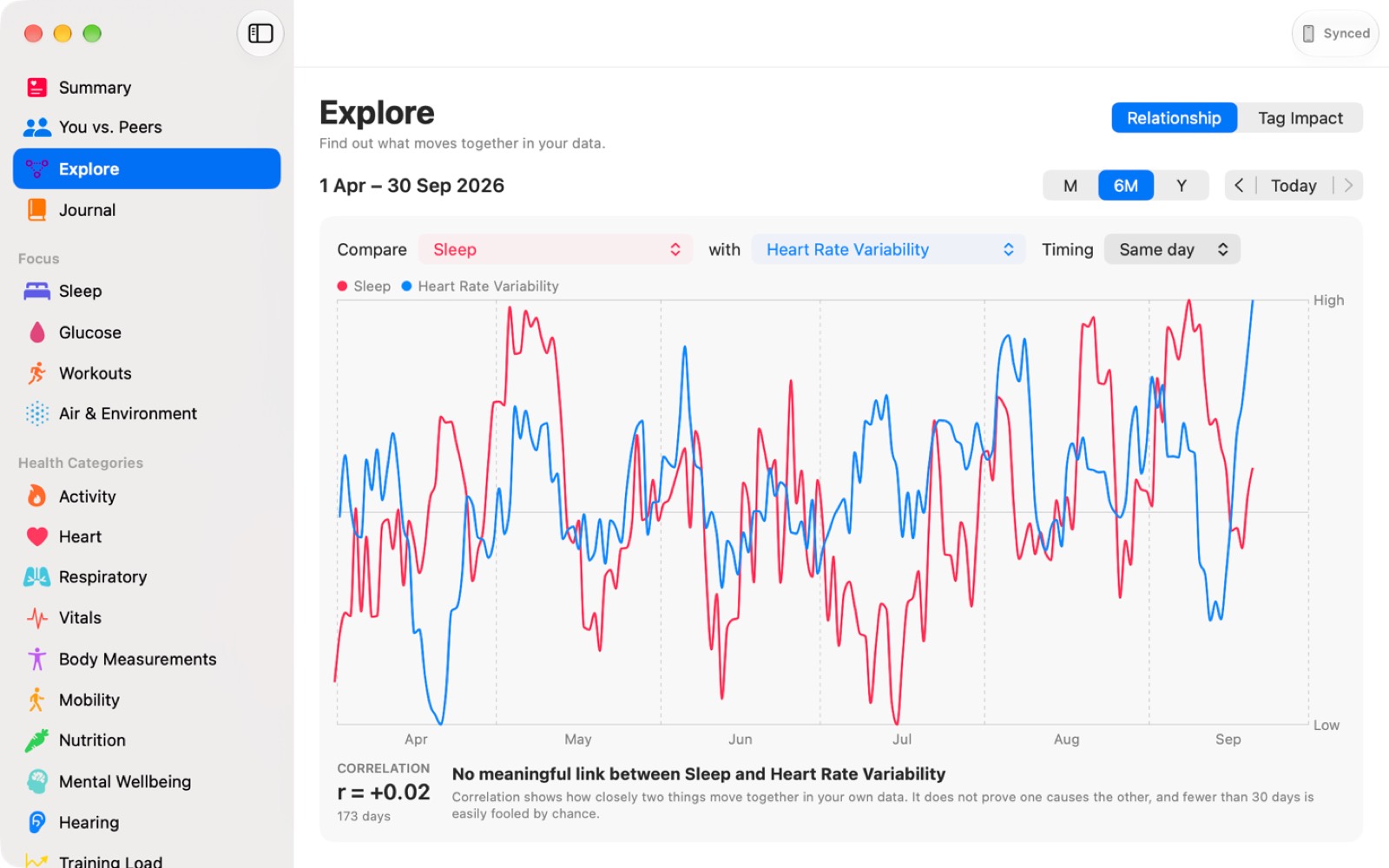
The Explore screen, showing sleep and heart rate variability plotted together over six months with a correlation coefficient.

Put any two metrics side by side, optionally with a day of lag, and see whether they actually move together. It tells you plainly when the answer is no.

The Summary screen, showing today against your baseline and a paged grid of pinned metrics.

Today against your own baseline, then the metrics you pinned. Pages rather than an endless scroll, and the keyboard moves between them.

What you get

Free to download and keep. One optional purchase unlocks the rest, forever.

Free, with no time limit

  • Summary, your day at a glance
  • Sources and Sync
  • The Data tab, every metric you hold
  • CSV export
  • Full JSON backup

Export and backup stay free. Your own data is always yours to take out.

The one time unlock

  • Sleep: hypnogram, sleep score, regularity, social jetlag, sleep debt
  • Glucose: time in ranges and the Glycemia Risk Index
  • You vs. Peers, against cited population data
  • Explore, correlate any two metrics with a day lag
  • Journal, Workouts, Air and Environment
  • Every metric detail screen
  • A two page PDF health report

One purchase covers your Mac, your iPhone, your iPad and your family group.

How it works

The free Vitalframe app on iPhone and iPad reads your Apple Health data, with your permission, and sends it straight to your Mac over your own network. No iPhone or iPad to hand? Import an Apple Health export file instead, or turn on sample data and look around first.

Who makes this

Vitalframe is made by Jostein Dyrseth, an independent developer in Haugesund, Norway. It started from a simple annoyance: an Apple Watch collects years of detail, and the only place to look at any of it is a phone screen held at arm's length.

It is built the way I wanted to use it. Native SwiftUI, Human Interface Guidelines, real keyboard shortcuts, pages instead of an endless scroll. No Electron, no web view pretending to be a Mac app.

The rules I set for myself: your data never leaves your machines, every score shows its working, and no comparison ships without a citation. If a number cannot be sourced, it does not go in.

Questions, bugs, or a metric that is missing? Write to josdyr@gmail.com. Every message is read by the person who makes the app.

See the support page for pairing help and common questions.
What Vitalframe is not. Vitalframe measures nothing. It reads what your iPhone, Apple Watch and connected devices already recorded, and presents it. It is not a medical device. It does not diagnose, treat, cure or prevent any disease, and what it shows is for general wellness and information only. Always talk to a qualified healthcare professional before making any medical decision.